2023. 7. 23. 07:35

DB에 접속하는 부분과 실제 처리하는 부분을 분리하여 코딩함

- 스프링 부트는 처음부터 이렇게 되어 있어서, 분리하는 장점을 체험하기가 힘듬...


main.py

from decouple import config

from fastapi import FastAPI
from motor.motor_asyncio import AsyncIOMotorClient
from fastapi.middleware.cors import CORSMiddleware

from routers.car import router as car_router

origins = [
    "http://localhost:3000",
]


DB_URL = config('DB_URL', cast=str)
DB_NAME = config('DB_NAME', cast=str)

app = FastAPI()

app.add_middleware(
    CORSMiddleware,
    allow_origins = origins,
    allow_credentials = True,
    allow_methods=["*"],
    allow_headers=["*"],
)

@app.on_event("startup")
async def startup_db_client():
    app.mongodb_client = AsyncIOMotorClient(DB_URL)
    app.mongodb = app.mongodb_client[DB_NAME]

@app.on_event("shutdown")
async def shutdown_db_client():
    app.mongodb_client.close()

app.include_router(car_router, prefix="/cars")
 
 
routers/car.py
 
from fastapi import FastAPI, Body, HTTPException, status, APIRouter, Request

from typing import Dict, List


from fastapi.encoders import jsonable_encoder
from fastapi.responses import JSONResponse


from bson import ObjectId


from models import CarBase, CarUpdate

router = APIRouter()


@router.get("/{id}")
async def root(
    request: Request,
    id:str):
    if (car := await request.app.mongodb["cars"].find_one({"_id": ObjectId(id)})) is not None:
        return get_ids(car)
    raise HTTPException(status_code=404, detail=f"Car with {id} not found")
    # car = await app.mongodb["cars"].find_one({"_id": ObjectId(id)})
    # # print(car)
    # return get_ids(car)


@router.get("/")
async def list_all_cars(
    request: Request,
    min_price: int=0,
    max_price: int=100000,
    brand:str=None,
    page:int=1):

    RESULT_PER_PAGE = 25
    skip = (page - 1) * RESULT_PER_PAGE

    query = {"price": {"$lte":max_price, "$gte":min_price}}
    if brand:
        query["brand"] = brand

    list = request.app.mongodb["cars"].find(query).sort("_id", -1).skip(skip).limit(RESULT_PER_PAGE)
    result = [get_ids(car) async for car in list]
    return result

def get_ids(car: Dict) -> Dict:
    # print(car)
    id = car["_id"]
    car["_id"] = str(id)
    return car


@router.post("/")
async def new_car( request: Request, car: CarBase = Body(...)):
    # print(car)
    car = jsonable_encoder(car)
    new_car = await request.app.mongodb["cars"].insert_one(car)
    # print(new_car)
    # print(new_car.inserted_id)
    created_car = await request.app.mongodb["cars"].find_one({"_id": ObjectId(new_car.inserted_id)})
    #return {"message": "new_car created"}
    return JSONResponse(status_code=status.HTTP_201_CREATED, content=get_ids(created_car))

@router.put("/{id}")
async def update_car(request: Request, id: str, car: CarUpdate = Body(...)):
    print(car.model_dump())
    await request.app.mongodb["cars"].update_one(
        {"_id": ObjectId(id)}, {"$set": car.model_dump()}
    )

    if (car := await request.app.mongodb["cars"].find_one({"_id": ObjectId(id)})) is not None:
        return get_ids(car)
    raise HTTPException(status_code=404, detail=f"Car with {id} not found")

@router.delete("/{id}")
async def delete_car(request: Request, id: str):
    delete_result = await request.app.mongodb["cars"].delete_one({"_id": ObjectId(id)})

    if (delete_result.deleted_count == 1):
        return JSONResponse(status_code=status.HTTP_204_NO_CONTENT, content=None)
   
    raise HTTPException(status_code=404, detail=f"Car with {id} not found")


이렇게 하면 FastAPI관련된 것은 전부 main.py에 두고 리퀘스트로 참조만 가능하다...

'spring' 카테고리의 다른 글

gradle bootRun  (0) 2023.06.27
Thymeleaf 제어구조  (0) 2023.06.27
Thymeleaf CSS 처리  (0) 2023.06.26
Spring Thymeleaf th:object 식  (0) 2023.06.26
spring mvc 설정  (0) 2023.06.20
Posted by 다만사
2023. 6. 27. 04:19

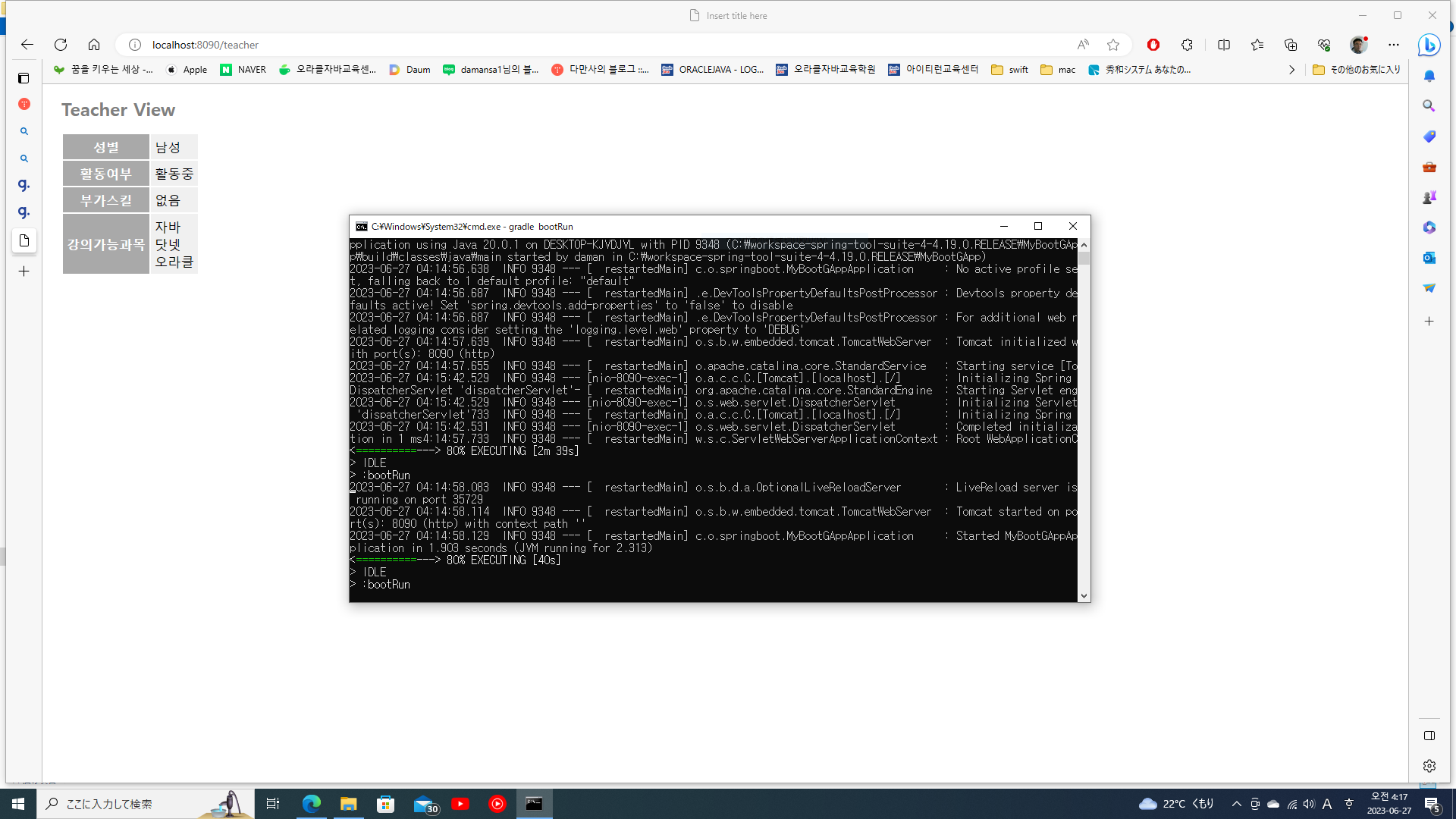
중단은 ctrl + C

'spring' 카테고리의 다른 글

Request와 Router로 분리  (0) 2023.07.23
Thymeleaf 제어구조  (0) 2023.06.27
Thymeleaf CSS 처리  (0) 2023.06.26
Spring Thymeleaf th:object 식  (0) 2023.06.26
spring mvc 설정  (0) 2023.06.20
Posted by 다만사
2023. 6. 27. 00:00

Teacher.java

package com.oraclejava.springboot;


import java.util.ArrayList;

import java.util.List;


public class Teacher {


private String gender; // 성별(M F)

private boolean isActive; // TRUE활동중 / FALSE 은퇴

private List<String> courses = new ArrayList<>(); // 강의 가능 과목

private String additionalSkills; // 기타 스킬


public String getGender() {

return gender;

}

public void setGender(String gender) {

this.gender = gender;

}

public boolean isActive() {

return isActive;

}

public void setActive(boolean isActive) {

this.isActive = isActive;

}

public List<String> getCourses() {

return courses;

}

public void setCourses(List<String> courses) {

this.courses = courses;

}

public String getAdditionalSkills() {

return additionalSkills;

}

public void setAdditionalSkills(String additionalSkills) {

this.additionalSkills = additionalSkills;

}


}


TeacherController.java

package com.oraclejava.springboot;


import java.util.List;


import org.springframework.stereotype.Controller;

import org.springframework.web.bind.annotation.RequestMapping;

import org.springframework.web.bind.annotation.RequestMethod;

import org.springframework.web.servlet.ModelAndView;


@Controller

public class TeacherController {


@RequestMapping(value="/teacher", method=RequestMethod.GET)

public ModelAndView showTeacher(ModelAndView mav) {

Teacher teacher = new Teacher();

teacher.setGender("M");

teacher.setActive(true);

teacher.setCourses(List.of("자바", "닷넷", "오라클"));

mav.setViewName("teacherView");

mav.addObject("teacher", teacher);


return mav;

}

}


teacher.html

<!DOCTYPE html>

<html xmlns:th="http://www.thymeleaf.org">

<head>

<meta charset="UTF-8">

<title>Insert title here</title>

<link rel="stylesheet" th:href="@{/style.css}">

</head>

<body>

<h1>Teacher View</h1>

<table th:object="${teacher}">

<tr><th>성별</th>

<td>

<span th:if="*{gender == 'F'}">여성</span>

<span th:else="*{gender == 'F'}">남성</span>

</td>

</tr>

<tr><th>활동여부</th><td th:text="*{isActive} ? '활동중' : '은퇴'"></td></tr>

<tr><th>부가스킬</th><td th:text="*{additionalSkills} ?: '없음'"></td></tr>

<tr><th>강의가능과목</th>

<td th:switch="*{#lists.size(courses)}">

<span th:case="0">강의가능과목 없음</span>

<span th:case="1" th:text="*{courses[0]}"></span>

<div th:case="*">

<div th:each="course:*{courses}" th:text="${course}"/>

</div>

</td>

</tr>

</table>

</body>

</html>


'spring' 카테고리의 다른 글

Request와 Router로 분리  (0) 2023.07.23
gradle bootRun  (0) 2023.06.27
Thymeleaf CSS 처리  (0) 2023.06.26
Spring Thymeleaf th:object 식  (0) 2023.06.26
spring mvc 설정  (0) 2023.06.20
Posted by 다만사
2023. 6. 26. 23:02

/src/main/resources/static 에 style.css

@charset "UTF-8";


body {

font-size: 13pt;

color: gray;

margin: 5px 25px;

}


h1 {

font-size: 18pt;

font-weight: bold;

color: gray;

}


tr {

margin: 5px;

}

th {

padding: 5px;

color: white;

background: darkgray;

}

td {

padding: 5px;

color: black;

background: #f0f0f0;

}


html 적용

<!DOCTYPE html>

<html xmlns:th="http://www.thymeleaf.org">

<head>

<meta charset="UTF-8">

<title>Insert title here</title>

<link rel="stylesheet" th:href="@{/style.css}">

</head>

<body>

<h1 th:text="${msg}"></h1>


<table th:object="${person}">

<tr><th>ID</th><td th:text="*{id}"></td></tr>

<tr><th>Name</th><td th:text="*{name}"></td></tr>

<tr><th>Email</th><td th:text="*{email}"></td></tr>

</table>

</body>

</html>


'spring' 카테고리의 다른 글

gradle bootRun  (0) 2023.06.27
Thymeleaf 제어구조  (0) 2023.06.27
Spring Thymeleaf th:object 식  (0) 2023.06.26
spring mvc 설정  (0) 2023.06.20
spring autowired annotation  (0) 2023.06.20
Posted by 다만사
2023. 6. 26. 22:35

선택된 객체에 대해서 th:object="${object}" 이하의 태그에 대해 *{...}로 표기할 수 있음

컨트롤러

package com.oraclejava.springboot;


import org.springframework.stereotype.Controller;

import org.springframework.web.bind.annotation.RequestMapping;

import org.springframework.web.servlet.ModelAndView;


@Controller

public class HelloController {


@RequestMapping("/")

public ModelAndView hello(ModelAndView mav) {

mav.setViewName("index");

mav.addObject("msg", "Hello!");

PersonInfo personInfo = new PersonInfo(123, "damansa1", "damansa1@naver");

mav.addObject("person", personInfo);


return mav;


}

}


<!DOCTYPE html>

<html xmlns:th="http://www.thymeleaf.org">

<head>

<meta charset="UTF-8">

<title>Insert title here</title>

</head>

<body>

<h1 th:text="${msg}"></h1>


<table th:object="${person}">

<tr><th>ID</th><td th:text="*{id}"></td></tr>

<tr><th>Name</th><td th:text="*{name}"></td></tr>

<tr><th>Email</th><td th:text="*{email}"></td></tr>

</table>

</body>

</html>


package com.oraclejava.springboot;


public class PersonInfo {


private int id;

private String name;

private String email;


public PersonInfo() {


}


public PersonInfo(int id, String name, String email) {

this.id = id;

this.name = name;

this.email = email;

}


public int getId() {

return id;

}

public void setId(int id) {

this.id = id;

}

public String getName() {

return name;

}

public void setName(String name) {

this.name = name;

}

public String getEmail() {

return email;

}

public void setEmail(String email) {

this.email = email;

}


}

'spring' 카테고리의 다른 글

Thymeleaf 제어구조  (0) 2023.06.27
Thymeleaf CSS 처리  (0) 2023.06.26
spring mvc 설정  (0) 2023.06.20
spring autowired annotation  (0) 2023.06.20
Pro Spring 5 2장 정리중...  (1) 2023.03.18
Posted by 다만사
2023. 6. 20. 23:06

web.xml


<!-- 루트 애플리케이션 컨텍스트 정의

ContextLoaderListener에 의하여 로드됨 -->


<context-param>

<param-name>contextConfigLocation</param-name>

<param-value>classpath:spring/application-config.xml</param-value>

</context-param>


<listener>

<listener-class>org.springframework.web.context.ContextLoaderListener</listener-class>

</listener>


<!-- 요청을 요청된 핸들러(컨트롤러)에게 디스펫치하는 컨트롤러 -->

<servlet>

<servlet-name>dispatcherServlet</servlet-name>

<servlet-class>org.springframework.web.servlet.DispatcherServlet</servlet-class>

<init-param>

<param-name>contextConfigLocation</param-name>

<param-value>/WEB-INF/mvc-config.xml</param-value>

</init-param>

</servlet>


<servlet-mapping>

<servlet-name>dispatcherServlet</servlet-name>

<url-pattern>/</url-pattern>

</servlet-mapping>


application-config.xml


<?xml version="1.0" encoding="UTF-8"?>

<beans xmlns="http://www.springframework.org/schema/beans"

xmlns:context="http://www.springframework.org/schema/context"

xmlns:xsi="http://www.w3.org/2001/XMLSchema-instance"

xsi:schemaLocation="http://www.springframework.org/schema/beans http://www.springframework.org/schema/beans/spring-beans.xsd

http://www.springframework.org/schema/context http://www.springframework.org/schema/context/spring-context.xsd">


</beans>


mvc-config.xml


<?xml version="1.0" encoding="UTF-8"?>

<beans xmlns="http://www.springframework.org/schema/beans"

xmlns:context="http://www.springframework.org/schema/context"

xmlns:mvc="http://www.springframework.org/schema/mvc"

xmlns:xsi="http://www.w3.org/2001/XMLSchema-instance"

xsi:schemaLocation="http://www.springframework.org/schema/beans

http://www.springframework.org/schema/beans/spring-beans.xsd

http://www.springframework.org/schema/context

http://www.springframework.org/schema/context/spring-context.xsd

http://www.springframework.org/schema/mvc

http://www.springframework.org/schema/mvc/spring-mvc.xsd">


<context:component-scan base-package="com.oraclejava.sample2"/>


<mvc:annotation-driven />


<bean class="org.springframework.web.servlet.view.InternalResourceViewResolver">

<property name="prefix" value="/WEB-INF/view/"/>

<property name="suffix" value=".jsp"/>

</bean>


</beans>


package com.oraclejava.sample2.controller;


import org.springframework.stereotype.Controller;

import org.springframework.ui.Model;

import org.springframework.web.bind.annotation.GetMapping;


@Controller

public class HelloController {


@GetMapping(value="/hello")

public String hello(Model model) {

model.addAttribute("msg", "안녕하세요");

return "hello";

}

}


<%@ page language="java" contentType="text/html; charset=UTF-8"

pageEncoding="UTF-8"%>

<!DOCTYPE html>

<html>

<head>

<meta charset="UTF-8">

<title>Insert title here</title>

</head>

<body>

<h1>${msg}</h1>

</body>

</html>

'spring' 카테고리의 다른 글

Thymeleaf CSS 처리  (0) 2023.06.26
Spring Thymeleaf th:object 식  (0) 2023.06.26
spring autowired annotation  (0) 2023.06.20
Pro Spring 5 2장 정리중...  (1) 2023.03.18
타임리프를 공부해 보자  (0) 2021.11.10
Posted by 다만사
2023. 6. 20. 22:18

package com.oraclejava.sample1;


import org.springframework.beans.factory.annotation.Value;

import org.springframework.stereotype.Component;


@Component

public class Person {


@Value("배용준")

private String name;


@Value("50")

private int age;


public String getName() {

return name;

}


public void setName(String name) {

this.name = name;

}


public int getAge() {

return age;

}


public void setAge(int age) {

this.age = age;

}


}


package com.oraclejava.sample1;


import org.springframework.beans.factory.annotation.Autowired;

import org.springframework.context.ApplicationContext;

import org.springframework.context.support.ClassPathXmlApplicationContext;

import org.springframework.stereotype.Component;


@Component

public class PersonMain {


@Autowired

private Person person;


public Person getPerson() {

return person;

}


public void setPerson(Person person) {

this.person = person;

}


private static ApplicationContext app;


public static void main(String[] args) {


// app = new ClassPathXmlApplicationContext("beans.xml");

// Person person = (Person)app.getBean("person");

// System.out.println("이름:" + person.getName());

// System.out.println("나이:" + person.getAge());


app = new ClassPathXmlApplicationContext("beans.xml");

PersonMain pm = (PersonMain)app.getBean("personMain");

Person person = pm.getPerson();

System.out.println("이름:" + person.getName());

System.out.println("나이:" + person.getAge());

}


}


<?xml version="1.0" encoding="UTF-8"?>

<beans xmlns="http://www.springframework.org/schema/beans"

xmlns:context="http://www.springframework.org/schema/context"

xmlns:xsi="http://www.w3.org/2001/XMLSchema-instance"

xsi:schemaLocation="http://www.springframework.org/schema/beans http://www.springframework.org/schema/beans/spring-beans.xsd

http://www.springframework.org/schema/context http://www.springframework.org/schema/context/spring-context.xsd">


<context:component-scan base-package="com.oraclejava.sample1"/>


<!--<bean id="im" class="com.oraclejava.sample1.Person">

<property name="name" value="임형구"/>

<property name="age" value="50"/>

</bean>-->


</beans>

'spring' 카테고리의 다른 글

Thymeleaf CSS 처리  (0) 2023.06.26
Spring Thymeleaf th:object 식  (0) 2023.06.26
spring mvc 설정  (0) 2023.06.20
Pro Spring 5 2장 정리중...  (1) 2023.03.18
타임리프를 공부해 보자  (0) 2021.11.10
Posted by 다만사
2023. 3. 18. 21:56

프로 스프링 5(원서)를 사놓고 공부를 거의 못했는데(구입은 2020년), 다시 시간이 좀 있어 하려고 합니다.

2장은 일종의 환경설정이라고 생각합니다.

일단 필자가 원하는 환경은 IntelliJ IDEA에 Gradle(Maven은 언급정도만 함), 그리고 스프링은 5.0.0입니다. 실제 소스코드에서는 5.0.10입니다. 물론 현재는 6.0.6까지 나왔네요...

그리고 책의 소스코드가 좀 수준이 높다보니, 실습은 유튜브 KK JavaTutorials 채널을 이용하기로 했습니다.

https://www.youtube.com/playlist?list=PLzS3AYzXBoj9IBdtgXRSyZEwlU2QV-mGG 


먼저 Intellij의 새 프로젝트에서 Gradle을 선택한후(인텔리제이는 프로젝트 생성에 에러가 나지 않네요. 역시 달러를 좀 밀어넣으니...)

build.gradle 환경설정입니다.

plugins {
    id 'java'
}

group 'org.example'
version '1.0-SNAPSHOT'

ext {
    //spring libs
    springVersion = '5.0.10.RELEASE'

    spring = [
            context           : "org.springframework:spring-context:$springVersion",
    ]
}

repositories {
    mavenCentral()
}

dependencies {
    implementation spring.context
    testImplementation 'org.junit.jupiter:junit-jupiter-api:5.8.1'
    testRuntimeOnly 'org.junit.jupiter:junit-jupiter-engine:5.8.1'
}

test {
    useJUnitPlatform()
}

이렇게 하면 메이븐 처럼 버전을 쉽게 관리할 수 있으며 dependencies가 복잡해 지는 것을 방지할 수 있네요


다음은 Message.java (빈 클래스)

package com.oraclejava.model;

import org.springframework.beans.factory.annotation.Value;

public class Message {

    @Value(value = "1001")
    private int messageId;

    @Value(value = "Hello Sora!")
    private String message;

    public int getMessageId() {
        return messageId;
    }

    public void setMessageId(int messageId) {
        this.messageId = messageId;
    }

    public String getMessage() {
        return message;
    }

    public void setMessage(String message) {
        this.message = message;
    }

    @Override
    public String toString() {
        return "Message{" +
                "messageId=" + messageId +
                ", message='" + message + '\'' +
                '}';
    }
}


@Value  어노테이션을 제외하면 평이한 클래스입니다.


Dependency Injection을 수행하는 컨피그 클래스입니다. Xml에 친숙하신 분들은 xml이라고 생각하시면 될듯 하네요.


package com.oraclejava.config;

import com.oraclejava.model.Message;
import org.springframework.context.annotation.Bean;
import org.springframework.context.annotation.Configuration;

@Configuration
public class MessageConfig {

    @Bean
    public Message getMessage() {
        return new Message();
    }
}


테스트 클래스입니다.

package com.oraclejava.client;

import com.oraclejava.config.MessageConfig;
import com.oraclejava.model.Message;
import org.springframework.context.ApplicationContext;
import org.springframework.context.annotation.AnnotationConfigApplicationContext;

public class Test {
    public static void main(String[] args) {
        ApplicationContext ctx = new AnnotationConfigApplicationContext(MessageConfig.class);
        Message message = ctx.getBean("getMessage", Message.class);
        System.out.println(message);
    }
}

error!

오후 10:07:38: 실행 중 ':Test.main()'...

> Task :compileJava
> Task :processResources NO-SOURCE
> Task :classes

> Task :Test.main() FAILED

Deprecated Gradle features were used in this build, making it incompatible with Gradle 8.0.

You can use '--warning-mode all' to show the individual deprecation warnings and determine if they come from your own scripts or plugins.

See https://docs.gradle.org/7.4/userguide/command_line_interface.html#sec:command_line_warnings
2 actionable tasks: 2 executed
정보: Refreshing org.springframework.context.annotation.AnnotationConfigApplicationContext@2d38eb89: startup date [Sat Mar 18 22:07:43 KST 2023]; root of context hierarchy [토 3월 18 22:07:43 KST 2023]
Exception in thread "main" java.lang.IllegalStateException: Cannot load configuration class: com.oraclejava.config.MessageConfig
at org.springframework.context.annotation.ConfigurationClassPostProcessor.enhanceConfigurationClasses(ConfigurationClassPostProcessor.java:414)
at org.springframework.context.annotation.ConfigurationClassPostProcessor.postProcessBeanFactory(ConfigurationClassPostProcessor.java:254)
at org.springframework.context.support.PostProcessorRegistrationDelegate.invokeBeanFactoryPostProcessors(PostProcessorRegistrationDelegate.java:282)
at org.springframework.context.support.PostProcessorRegistrationDelegate.invokeBeanFactoryPostProcessors(PostProcessorRegistrationDelegate.java:126)
at org.springframework.context.support.AbstractApplicationContext.invokeBeanFactoryPostProcessors(AbstractApplicationContext.java:692)
at org.springframework.context.support.AbstractApplicationContext.refresh(AbstractApplicationContext.java:530)
at org.springframework.context.annotation.AnnotationConfigApplicationContext.<init>(AnnotationConfigApplicationContext.java:88)
at co m.oraclejava.client.Test.main(Test.java:10) 
Caused by: java.lang.ExceptionInInitializerError
at org.springframework.context.annotation.ConfigurationClassEnhancer.newEnhancer(ConfigurationClassEnhancer.java:122)
at org.springframework.context.annotation.ConfigurationClassEnhancer.enhance(ConfigurationClassEnhancer.java:110)
at org.springframework.context.annotation.ConfigurationClassPostProcessor.enhanceConfigurationClasses(ConfigurationClassPostProcessor.java:403)
... 7 more
Caused by: org.springframework.cglib.core.CodeGenerationException: java.lang.reflect.InaccessibleObjectException-->Unable to make protected final java.lang.Class java.lang.ClassLoader.defineClass(java.lang.String,byte[],int,int,java.security.ProtectionDomain) throws java.lang.ClassFormatError accessible: module java.base does not "opens java.lang" to unnamed module @1d251891
at org.springframework.cglib.core.ReflectUtils.defineClass(ReflectUtils.java:464)
at org.springframework.cglib.core.AbstractClassGenerator.generate(AbstractClassGenerator.java:336)
at org.springframework.cglib.core.AbstractClassGenerator$ClassLoaderData$3.apply(AbstractClassGenerator.java:93)
at org.springframework.cglib.core.AbstractClassGenerator$ClassLoaderData$3.apply(AbstractClassGenerator.java:91)
at org.springframework.cglib.core.internal.LoadingCache$2.call(LoadingCache.java:54)
at java.base/java.util.concurrent.FutureTask.run(FutureTask.java:264)
at org.springframework.cglib.core.internal.LoadingCache.createEntry(LoadingCache.java:61)
at org.springframework.cglib.core.internal.LoadingCache.get(LoadingCache.java:34)
at org.springframework.cglib.core.AbstractClassGenerator$ClassLoaderData.get(AbstractClassGenerator.java:116)
at org.springframework.cglib.core.AbstractClassGenerator.create(AbstractClassGenerator.java:291)
at org.springframework.cglib.core.KeyFactory$Generator.create(KeyFactory.java:221)
at org.springframework.cglib.core.KeyFactory.create(KeyFactory.java:174)
at org.springframework.cglib.core.KeyFactory.create(KeyFactory.java:153)
at org.springframework.cglib.proxy.Enhancer.<clinit>(Enhancer.java:73)
... 10 more
Caused by: java.lang.reflect.InaccessibleObjectException: Unable to make protected final java.lang.Class java.lang.ClassLoader.defineClass(java.lang.String,byte[],int,int,java.security.ProtectionDomain) throws java.lang.ClassFormatError accessible: module java.base does not "opens java.lang" to unnamed module @1d251891
at java.base/java.lang.reflect.AccessibleObject.checkCanSetAccessible(AccessibleObject.java:354)
at java.base/java.lang.reflect.AccessibleObject.checkCanSetAccessible(AccessibleObject.java:297)
at java.base/java.lang.reflect.Method.checkCanSetAccessible(Method.java:199)
at java.base/java.lang.reflect.Method.setAccessible(Method.java:193)
at org.springframework.cglib.core.ReflectUtils$1.run(ReflectUtils.java:61)
at java.base/java.security.AccessController.doPrivileged(AccessController.java:569)
at org.springframework.cglib.core.ReflectUtils.<clinit>(ReflectUtils.java:52)
at org.springframework.cglib.core.KeyFactory$Generator.generateClass(KeyFactory.java:243)
at org.springframework.cglib.core.DefaultGeneratorStrategy.generate(DefaultGeneratorStrategy.java:25)
at org.springframework.cglib.core.AbstractClassGenerator.generate(AbstractClassGenerator.java:329)
... 22 more

FAILURE: Build failed with an exception.

* What went wrong:
Execution failed for task ':Test.main()'.
> Process 'command 'G:/pleiades/2022-09/java/17/bin/java.exe'' finished with non-zero exit value 1

* Try:
> Run with --stacktrace option to get the stack trace.
> Run with --info or --debug option to get more log output.
> Run with --scan to get full insights.

* Get more help athttps://help.gradle.org

BUILD FAILED in 4s
오후 10:07:44: 실행이 완료되었습니다 ':Test.main()'.


오늘은 여기까지!!

'spring' 카테고리의 다른 글

Thymeleaf CSS 처리  (0) 2023.06.26
Spring Thymeleaf th:object 식  (0) 2023.06.26
spring mvc 설정  (0) 2023.06.20
spring autowired annotation  (0) 2023.06.20
타임리프를 공부해 보자  (0) 2021.11.10
Posted by 다만사
2021. 11. 10. 11:37

스프링 부트의 템플릿 엔진인 타임리프

사실 jsp랑 다른 것이 너무 많아서 친숙해지진 못했다.

하지만 대세인건 분명하니 한번 공부해보자


https://www.thymeleaf.org/doc/tutorials/3.0/usingthymeleaf.html

'spring' 카테고리의 다른 글

Thymeleaf CSS 처리  (0) 2023.06.26
Spring Thymeleaf th:object 식  (0) 2023.06.26
spring mvc 설정  (0) 2023.06.20
spring autowired annotation  (0) 2023.06.20
Pro Spring 5 2장 정리중...  (1) 2023.03.18
Posted by 다만사